Booking management · 2 min read
From screenshot to booking: faster order entry for limo companies
How limo dispatchers can turn a texted itinerary, email or screenshot into a complete booking in seconds, and why a human review still matters.
Published
Where bookings really come from
Few limo bookings arrive through a tidy form. They come as a text from a regular client, a forwarded email from an executive assistant, a screenshot of a flight itinerary, or a WhatsApp message with three rides in it. Each one has to be retyped into the schedule, often by a dispatcher who is answering the phone at the same time.
The details that get lost in retyping
Retyping is where small, costly mistakes happen. A flight number is copied with two digits swapped. The landing time is entered as the pickup time. A terminal, a child seat or a second passenger is in the original message but never reaches the booking. None of these are hard to get right; they are simply easy to miss when the same information is entered twice.
How screenshot booking works in LimOperations
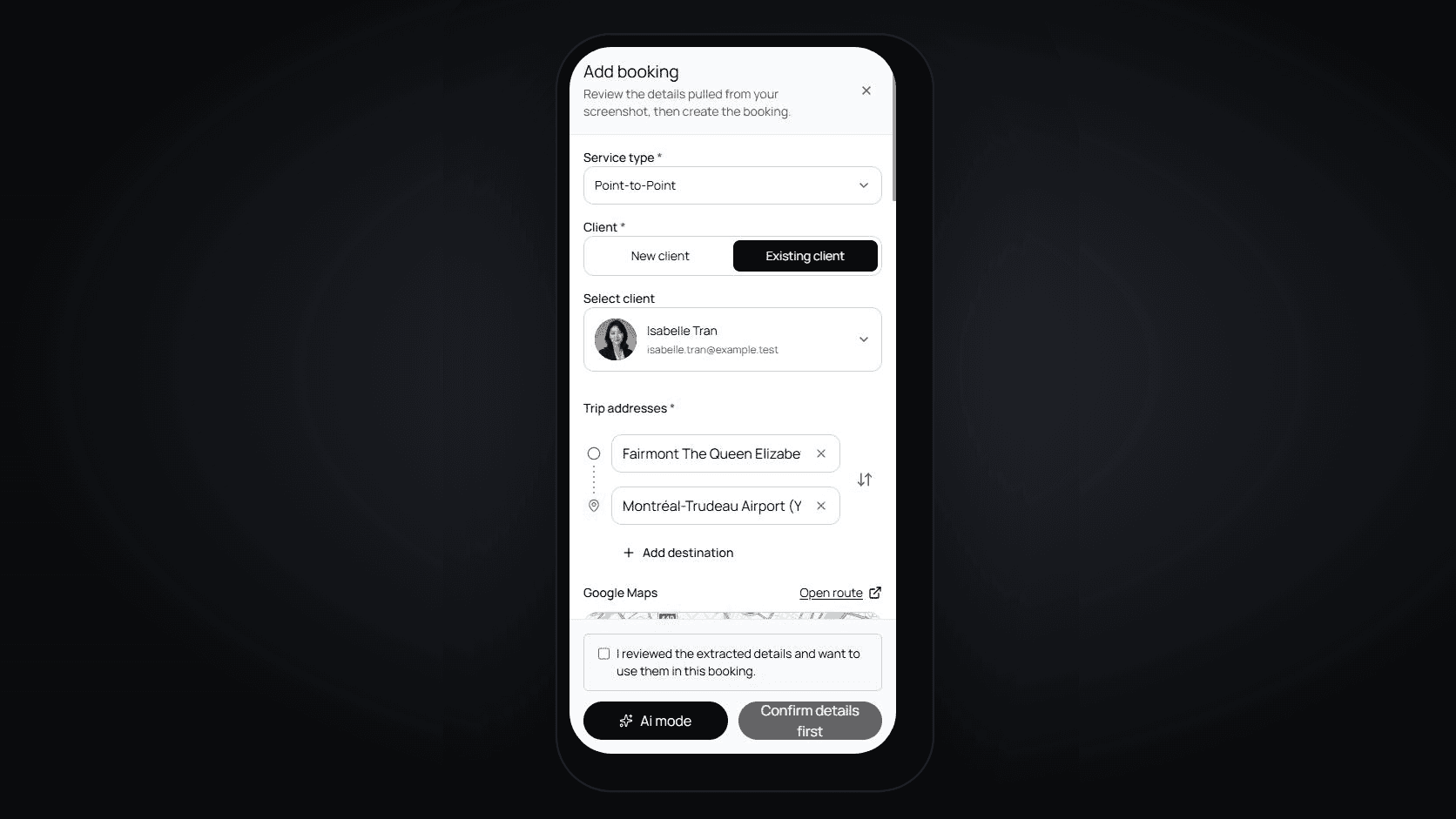
On the Manager and Scaler plans, you can upload a screenshot or photo of a booking request. LimOperations reads the client, the pickup and drop-off addresses, the date and time, and the service type, and fills in the booking form for you. Each analysis uses a small amount of prepaid credit.
The booking is not created until you tick that you have reviewed the extracted details and confirm. You stay in control of what goes into the schedule.
Why a human review stays in the loop
Software that reads an image can misread it, just as a tired person can. A blurred screenshot, an unusual address or a note written in shorthand can all produce a wrong field. That is why the review step is deliberate: the dispatcher checks the draft against the original message before it becomes a ride, and nothing is sent to the client or the driver until it has.
Habits that make intake faster
Ask regular clients to send itineraries in writing rather than by phone, so there is always something to import. Make one person responsible for turning each request into a booking, so nothing is entered twice or not at all. Reply to every request with a written confirmation that repeats the time, the addresses and the price; it catches the rare error while there is still time to fix it.
Before you confirm an imported booking
- The pickup time is the time the car arrives, not the flight's landing time.
- Addresses match the original message, including terminal or entrance.
- The client and passenger names are spelled correctly.
- Passenger count, luggage and special requests are recorded.
- The price and vehicle are set before the confirmation is sent.